Article · Published October 31, 2026
How I built an AI chat that turns website visitors into booked calls
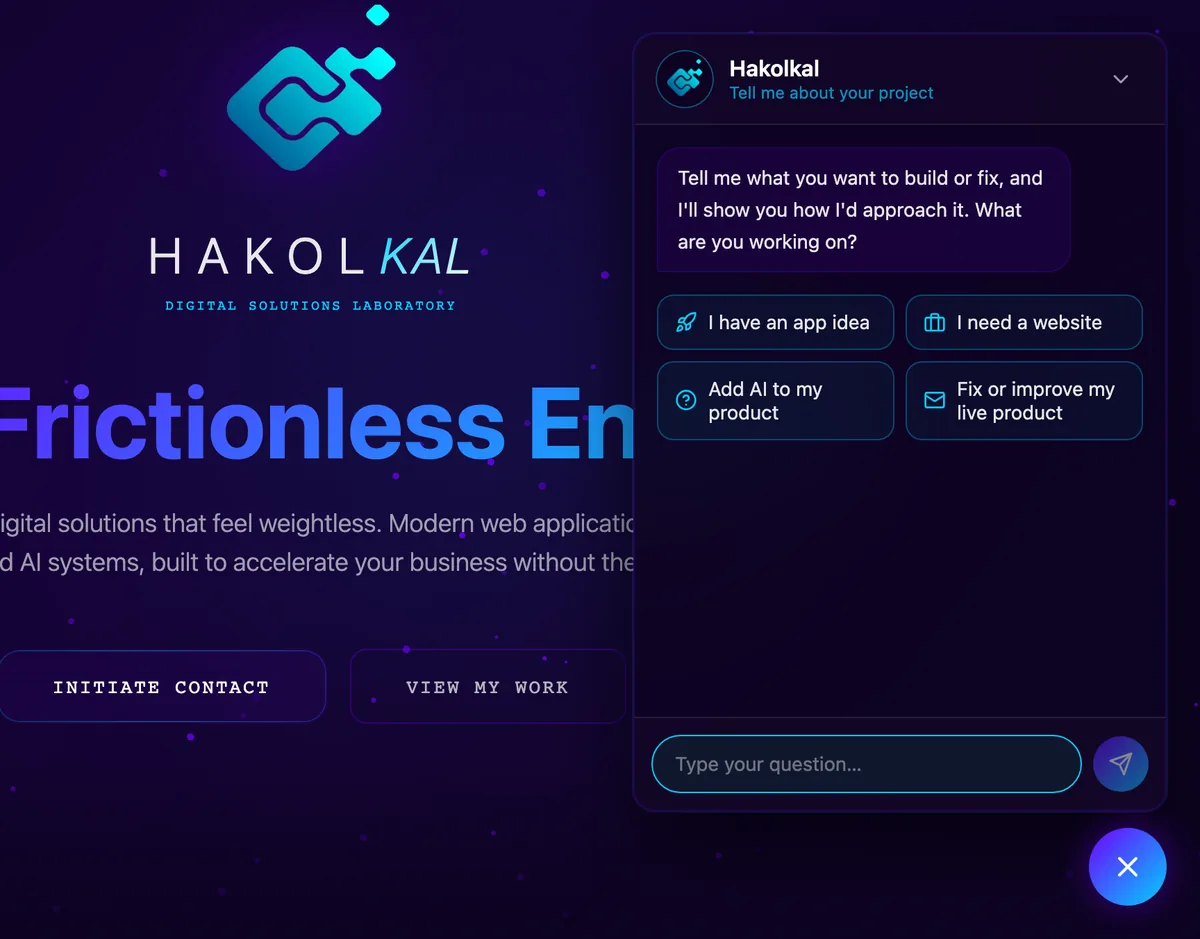
Most website chatbots answer questions and stop there. The one in the corner of this page has a narrower job: understand what a visitor wants to build, show them how I would approach it, and get them onto a call with me with the context already written down. Here is how it works, what it is not allowed to do, and what I would decide first if you want one on your own site.

The job: a short discovery, not a support desk
The assistant asks one short question per message, and never more than four in total: what you want to build or fix, who it is for, where you are today, and what matters most. Then it answers with two or three concrete points built on your own words: what I would build first, how I would build it, and where AI actually helps.
It ends with a button to book a free 30-minute call. If you already know you want to talk, it skips the questions and goes straight to booking.
The handoff is the point
When the visitor books, the assistant has already written a short summary of the conversation: the project, the context, the constraints and what it suggested. That summary goes into the notes of the booking form, so the call starts from what was said instead of from zero.
Testing caught one detail that mattered: the booking button first appeared a split second before the summary had finished arriving, so an early click would have booked a call without the notes. The button now waits for the summary.
What it is not allowed to say
A sales assistant that invents a price or a deadline does more harm than no assistant at all. This one may only state facts published on this site: how billing works, the devAgency subscription price, how fast I answer. For a price or a timeline on a specific project, it says that I confirm it on the call.
It speaks as me, in the first person, because there is no team behind it. It may only link to pages on my own sites: any other link the model writes is shown as plain text.
Spending is capped before a single word is generated
Every reply costs money, and a public chat is open to anyone. So each message goes through a quota check first: a limit per conversation, a daily limit per visitor and a daily limit for the whole site. The counters are updated in a database transaction, so a restart or a burst of parallel requests cannot hand out extra messages. If the check itself fails, the chat does not answer.
Before going live, I checked on the real deployment that a forged network header cannot reset a visitor's quota.

Privacy, decided up front
The visitor's IP address is never used as is: the counter is keyed on a hash made with a secret key, and old counters are deleted automatically. The messages go to Anthropic, the company behind the Claude model, to generate the replies, and the privacy policy says so in plain words.
I do not keep the conversations. What reaches me is the summary a visitor chooses to send with a booking.
Three languages, one assistant
The site runs in English, French and Hebrew. The assistant replies in the visitor's language, links to the pages in that language, and the Hebrew version reads right to left.
Under the hood: Claude for the replies, a Firebase Cloud Function that streams them word by word, Firestore for the counters, and a small Next.js widget for the interface.
What to decide before adding one to your site
Three questions matter more than the model you pick. What is the one action the chat should lead to: a booking, a quote request, a signup? What must it never say: prices, promises, medical or legal advice? How much are you willing to spend per day, and what happens when that limit is reached?
Once those are answered, the rest is engineering: the instructions, the quotas, the interface and the tests. The chat in the corner of this page is a working example. Ask it about your project.
Want something like this?
Tell me what you are building, or what you are still doing by hand, and I will tell you how I would approach it. No commitment.